 Campaigns
Create and send email campaigns in minutes
tinyEmail campaigns are the newsletters, launches and sales you send to a list or segment. Start from a template or the drag-and-drop editor, personalise with merge tags, let AI suggest subject lines, then send now or schedule in any time zone. Recurring and RSS campaigns send your digests for you.
 Send now or scheduleRecurring and RSSAI subject linesHow it works
How does a campaign go from idea to inbox?
Four steps, and none of them need code.
- 1
Choose who gets it
Send to a list or a segment, such as engaged subscribers or new customers.
- 2
Design the email
Start from a template or the drag-and-drop editor. HTML and CSS are there if you want them.
- 3
Write the subject line
Take an AI suggestion, add merge tags, or A/B test two versions.
- 4
Send or schedule
Send now, or pick a date and time in any time zone.
 Less busywork
Which campaigns can send themselves?
Set these up once and tinyEmail keeps your audience hearing from you.
 Recurring campaigns
Repeat a campaign daily or weekly, such as a Monday digest, without rebuilding it each time.
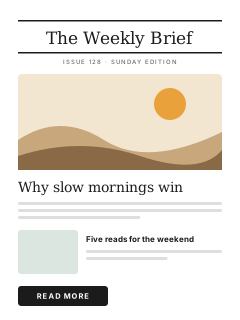
 RSS to email
Connect your blog's RSS feed and your newest posts flow into an email for your subscribers.
 AI subject lines
Get subject line suggestions from AI, then keep the one that sounds like you.
 Campaigns vs workflows
Should you send a campaign or a workflow?
Both send email. The difference is what decides when it goes out.

Campaign
This page- When it sendsWhen you choose: now, at a scheduled time, or on a repeat.
- Who gets itEveryone in the list or segment you pick.
- Best forNewsletters, launches, sales and announcements.

Workflow
- When it sendsWhen a person does something, such as signing up or leaving a cart.
- Who gets itEach person who meets the trigger, at their own moment.
- Best forWelcome series, abandoned cart and win-back emails.
 Results
How do you know what worked?
Every campaign is tracked automatically, from the first open to the sale.

Opens, clicks and sales
tinyEmail tracks opens, clicks, unsubscribes, sign-ups and sales for each campaign.

A/B test before you send
Test two subject lines or two designs, and the winner goes to the rest of your list.

AI Summary
A plain-English read of how your campaigns are doing.

 Audience
Who should get this campaign?
Send to a list or a segment, and leave out the people who should not get it, such as recent buyers or contacts already in a workflow.

Lists and segments
Pick any list or segment as your audience.
Exclusions
Leave out segments and workflows; the campaign report shows who was excluded.

Merge tags
Personalise the subject and content for each contact.
 FAQ
FAQEmail campaign questions
Can't find your answer? Our team is here 24/7.
 Talk to support
 All FAQs
What is the difference between a campaign and a workflow?
You send a campaign to a list or segment at a time you choose. A workflow sends automatically when a person does something, such as signing up or leaving a cart.
Can I schedule a campaign in my customers' time zone?
Yes. Send a campaign now, or schedule it for a date and time in any time zone.
What are recurring campaigns?
Campaigns that repeat on a schedule, such as a daily or weekly digest. You set them up once and they keep sending.
Can I send my blog posts as a newsletter?
Yes. Connect your RSS feed and tinyEmail pulls your latest posts into an email.
Can I test subject lines?
Yes. AI suggests subject lines, and A/B testing sends two versions to part of your audience, then sends the winner by open rate or click rate.
Do I need to know how to code?
No. Use a template or the drag-and-drop editor. HTML and CSS editing is there if you want it.

Send your first campaign today
Free for Shopify stores. Everyone else gets a 7-day free trial, then pays per email sent.
